My Remote Work Setup in 2026: Every Tool I Use
By Tekin Kıvrak, cloud infrastructure engineer
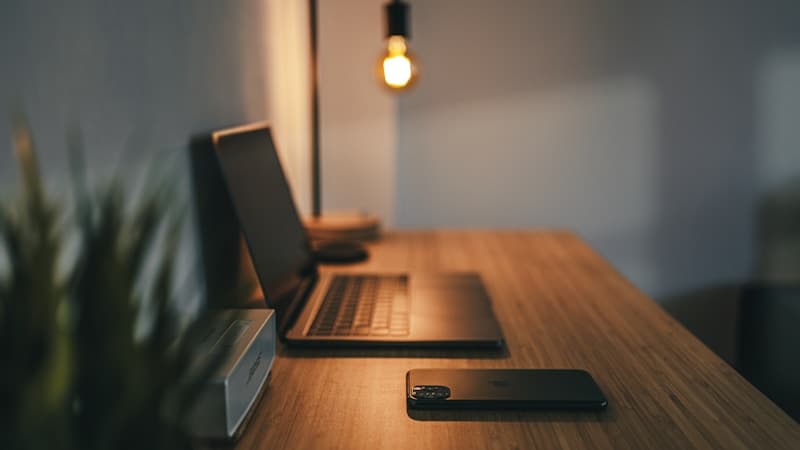
I've been working remotely for three years. In that time, I've rebuilt my setup four times, wasting money on things that looked good on YouTube but added nothing to my actual work.
This is my current setup. Every item earned its place by surviving at least six months of daily use. If something didn't make me measurably more productive or comfortable, it got returned or donated.
I'll cover both the physical desk and the software stack, because a good remote setup is where atoms meet bits.
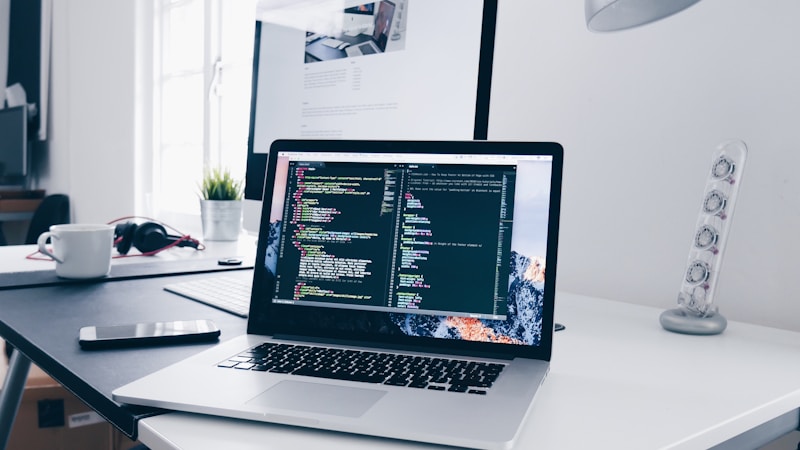
The Physical Setup
The desk is a FlexiSpot E7 sit-stand. I resisted standing desks for years, then read the research on prolonged sitting and tried a cheap converter, hated it, and finally bought a proper one. It has memory presets: one button for sitting height, another for standing. I stand for roughly 40% of my workday, usually during calls, email processing, and lighter tasks. I sit for deep coding and writing.
Don't stand all day. Alternate. Standing for eight hours is as bad as sitting for eight hours. The magic is in movement and position changes. Since I started alternating, the afternoon energy crash is noticeably less severe.
The monitor is an LG 27" 4K (27UL850). One external monitor, not two, not an ultrawide. I tried dual monitors for a year. My productivity didn't increase, but my distractions did: email on the second screen, Slack on the second screen, YouTube on the second screen. With one monitor, I'm forced to focus on one thing at a time. That constraint is a feature. 4K matters for coding since more resolution means more lines of code visible without squinting, and the USB-C connection charges my laptop simultaneously.
The headphones are Sony WH-1000XM5. I wrote about them in my deep work toolkit, so I'll keep it brief: the best single productivity purchase I've made. Noise cancellation turns any environment into a focus chamber. For calls, I switch to my webcam mic since the XM5's microphone is mediocre. For everything else, they stay on my head six or more hours a day.
The chair is a Herman Miller Aeron, bought refurbished. New price is over $1,400. I paid $550. Three years in, it looks and feels like new. A good chair is a ten-year investment: amortized, that's $55 per year for all-day comfort. If $550 is too much, the Autonomous ErgoChair Pro at $400 is the best budget option I've tested. Don't cheap out on your chair. Your back sends the bill later.
The webcam is a Logitech Brio. Your laptop webcam makes you look like a hostage in a dimly lit basement. The Brio does 4K, handles low light well, and has a built-in privacy shutter. In remote work, how you look on camera is your office presence.
Good lighting on video calls is the cheapest way to look professional. I use an Elgato Key Light Mini positioned behind my monitor. It provides adjustable warm or cool light and controls from my phone. Calls went from "is it nighttime there?" to "great setup."
The keyboard is a Keychron K3, low-profile mechanical. Mechanical keyboards are a rabbit hole. I kept it simple: the K3 is thin, wireless, has good key feel with brown switches, and works with Mac and Windows. The low profile means my wrists stay flat, no wrist rest needed.
The mouse is a Logitech MX Master 3S. The horizontal scroll wheel alone justifies it. For spreadsheets, timelines, and code files, horizontal scrolling is a genuine time-saver. The ergonomic shape means no wrist pain even after ten-hour days.
The Software Stack
For coding, VS Code with GitHub Copilot. It's still the best editor for web development. The extensions I use daily: Copilot for AI code completion that actually saves time, GitLens to see who changed what and when inline, Error Lens to show errors inline rather than buried in a panel, and Prettier for format-on-save. Theme is One Dark Pro, font is JetBrains Mono, terminal is integrated with Oh My Zsh.
I use both ChatGPT and Claude daily. ChatGPT for quick tasks and browsing, Claude for complex reasoning and long code. Both are open in browser tabs all day. At $40 per month total, they're the highest-ROI subscriptions I pay for.
My entire work brain lives in Notion. I chose it over Obsidian because my work is more about project management than knowledge building. Weekly planning, article pipeline, contact CRM, decision log: all in one workspace.
For communication, Slack and Loom. I check Slack twice a day: noon and 4 PM. Outside those windows, it's closed. That single rule has saved my deep work more than any app or technique. For async communication, Loom is invaluable. A three-minute video replaces a fifteen-minute meeting or a 500-word message. Record your screen, explain the thing, send the link.
For focus music, Brain.fm (no lyrics, designed for concentration). For phone blocking, Forest. Both are part of my deep work startup sequence.
I switched from Chrome to Arc six months ago. The "spaces" feature separates work and personal browsing completely. Work space has Notion, GitHub, and project URLs. Personal space has everything else. When I'm working, I can't see personal bookmarks or tabs.
My terminal is Warp, which has AI built in. When I forget a command syntax, I describe what I want in plain English and it generates the command. It also saves command history as searchable blocks, useful for documenting workflows.
What I Removed
Equally important are the things that didn't survive: a second monitor (more distraction, not more productivity), a desk shelf that added clutter instead of organization, smart home devices on the desk (Alexa is not a productivity tool), a mechanical keyboard with tall keys that caused wrist pain after two weeks, a ring light replaced by the Key Light Mini, and multiple note-taking apps consolidated into Notion.
What It Costs
The physical hardware runs about $2,215: standing desk ($500), monitor ($400), chair refurbished ($550), headphones ($350), webcam ($150), key light ($80), keyboard ($85), mouse ($100). Monthly software adds about $80: ChatGPT Plus ($20), Claude Pro ($20), Notion ($10), GitHub Copilot ($10), Brain.fm ($7), Loom ($13).
Is $2,200 upfront plus $80 per month expensive? Compared to an office lease, commute costs, and work wardrobe, it's nothing. This setup will last five or more years. That's under $500 per year for a complete professional workspace.
If I Were Starting Over
If I had to rebuild from zero with a limited budget, the priority order: a good chair first ($400 to $550, because your back is non-negotiable), then an external monitor ($300 to $400 for screen real estate while coding), then noise-canceling headphones ($250 to $350 for focus in any environment), then a standing desk ($400 to $500 for energy management throughout the day), and everything else as budget allows.
Start with the chair and monitor. Add the rest over twelve months. A good setup built gradually beats a mediocre one bought all at once.
The goal isn't a pretty desk for Instagram. The goal is a workspace that makes starting work frictionless and sustaining focus effortless. Everything on my desk serves that purpose. Nothing else made the cut.
Where to find these
Direct links to everything mentioned above. None of these are affiliate links: I get nothing if you sign up.
Was this article helpful?
Related Posts

Productivity · 8 min
Notion vs Obsidian: Which One Is Actually Right for You?
I've used both Notion and Obsidian for over a year. The honest breakdown: who each tool is for, where they fail, and which one I actually kept using.
Productivity · 8 min
My Deep Work Toolkit: 7 Tools I Actually Use to Stay Focused
These are the 7 tools I rely on every day for deep work, from noise-canceling headphones to a plain notebook. No fluff, just what actually helps me focus.
AI & Tech · 6 min
I Let AI Plan My Week for 30 Days. Here's What I Learned.
I handed my weekly planning to AI for 30 days. What worked, what broke, and the one thing AI still can't do no matter how good your prompt is.

Productivity · 5 min
The 10-Minute Evening Shutdown Ritual That Saved My Mornings
Stop starting your day in reactive mode. A 10-minute evening ritual that closes open loops and makes every morning clearer, calmer, and more focused.
Explore more topics: